See what every
Claude Code
session is doing
Terminal UI, macOS menu bar, and HTTP API to monitor all running Claude Code instances. Track activity, tokens, and cost in real-time.
brew install illegalstudio/tap/lazyagent 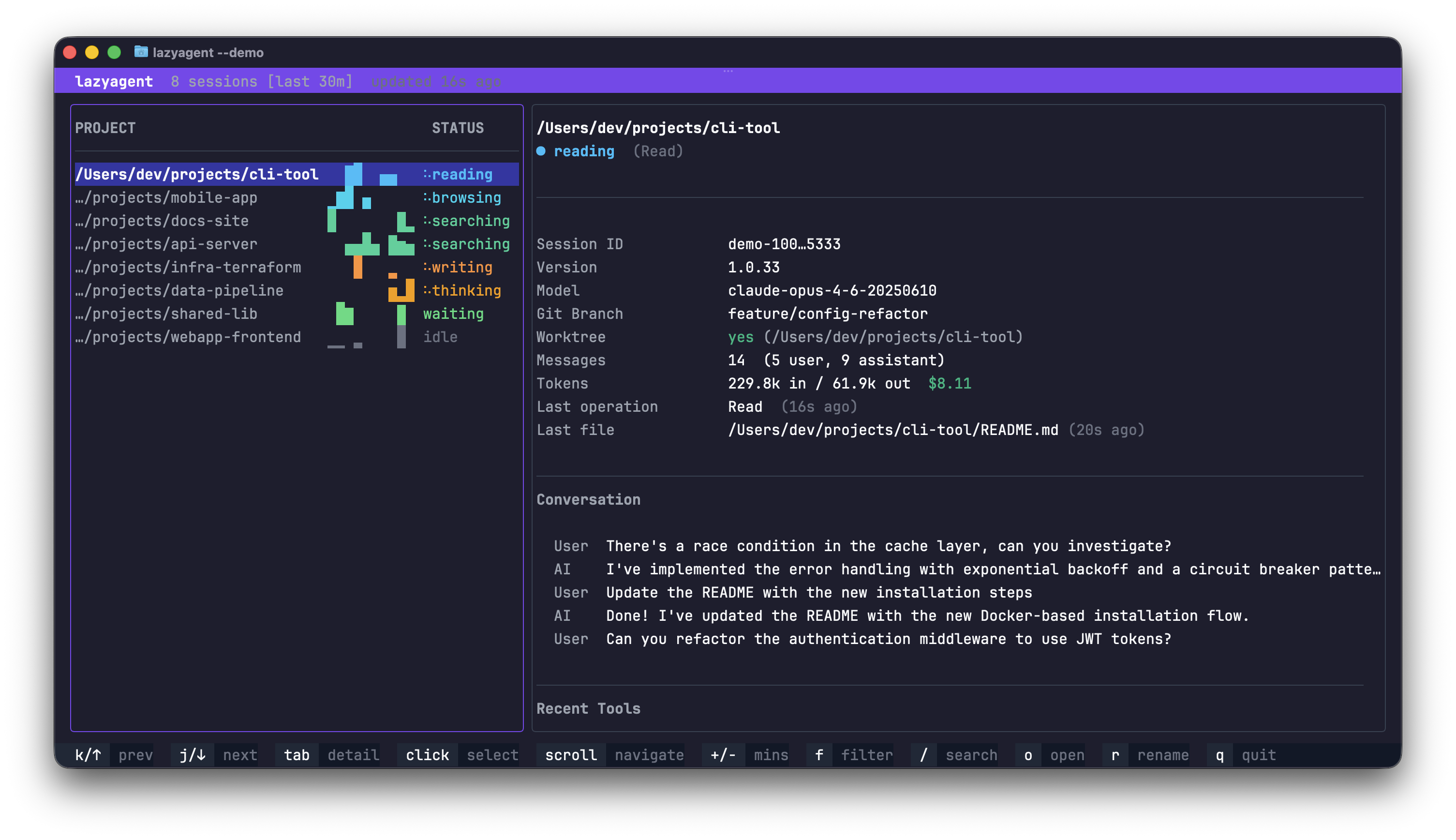
Capabilities
Everything happens
in one place
Real-time monitoring
Live activity states for every session: thinking, writing, reading, searching, compacting.
Cost tracking
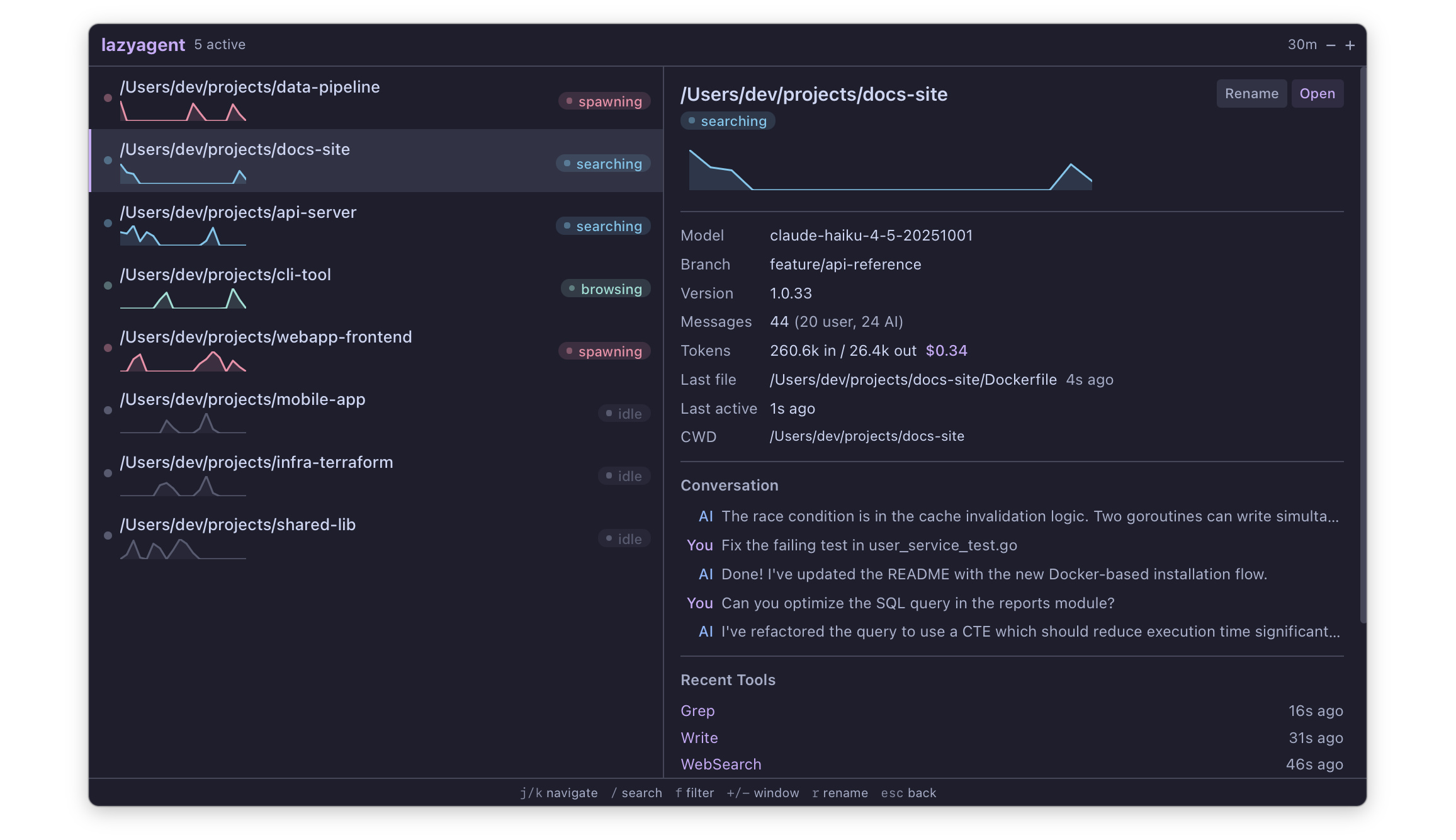
Automatic token counting and USD cost estimation per session.
Activity sparklines
Visual intensity graphs to spot which sessions are most active over time.
Zero modifications
Reads existing JSONL transcripts. Never touches or modifies Claude Code.
Fast & lightweight
FSEvents-based. Single Go binary, no runtime dependencies, minimal CPU.
Three interfaces
TUI, macOS menu bar, or HTTP API. Same core, mix and match as needed.
Interfaces
One binary,
three ways in
Terminal UI
lazyagent Full-featured TUI built with bubbletea. Vim-style navigation, fuzzy search, activity filters, time window controls, and real-time updates via FSEvents.
macOS Menu Bar
lazyagent --tray Native menu bar app with Catppuccin theme. Runs silently in the background with no Dock icon. Click to toggle the session panel.
HTTP API
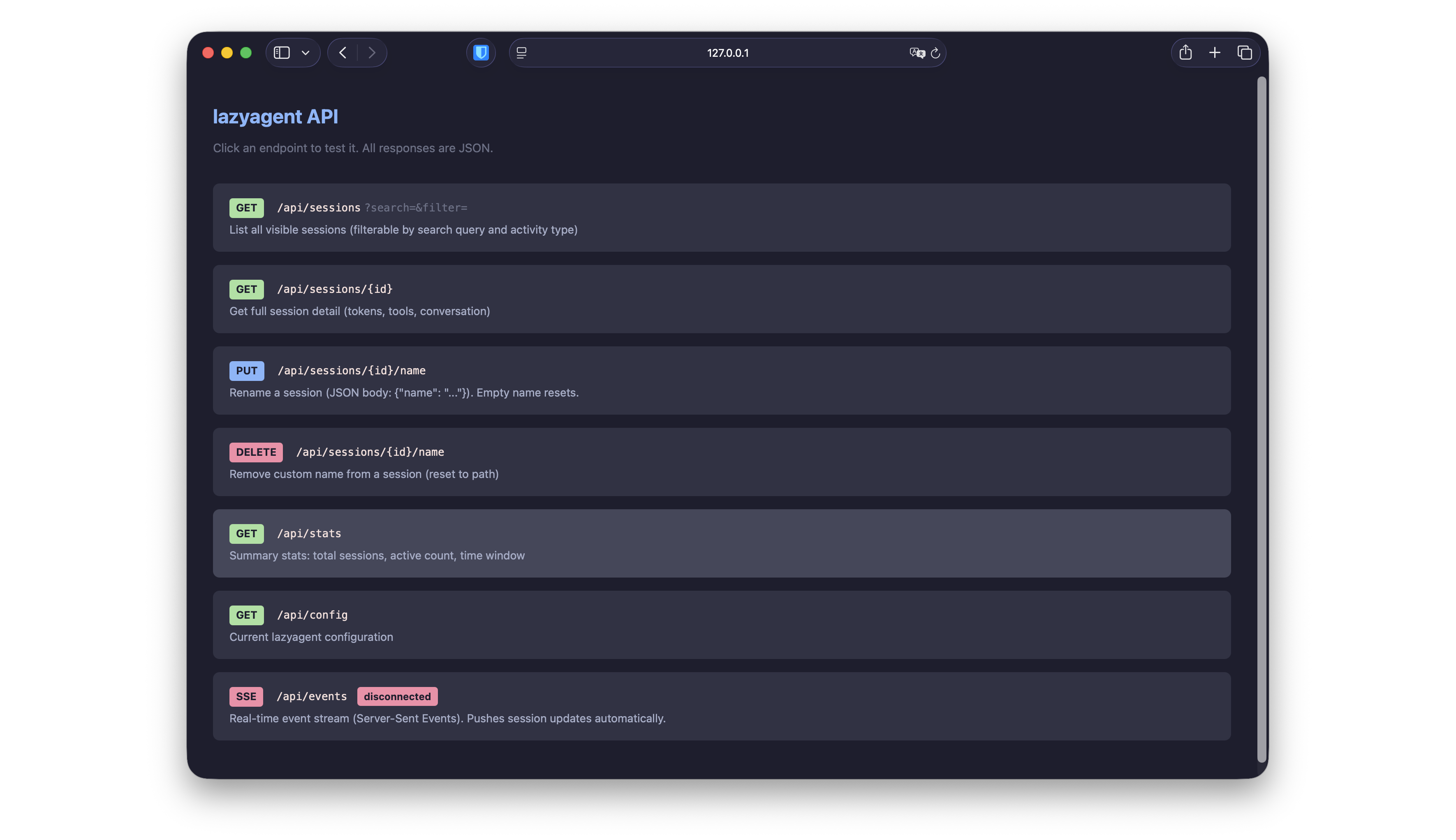
lazyagent --api REST endpoints + Server-Sent Events for real-time streaming. Build dashboards, mobile apps, or custom integrations on top.
Mix them: lazyagent --tui --tray --api Install
One command,
zero config
API
Build on top
Read-only REST API with Server-Sent Events for real-time push updates. Build custom dashboards, mobile apps, or integrate with your existing tools.
127.0.0.1:7421 /api/sessions /api/sessions/{id} /api/stats /api/config /api/events